Seedance 2.5 can take up to 30 reference images in a single request, which is a big jump from Seedance 2.0's nine. More references also means more chances that one file breaks the request: a logo exported at 256 pixels, a 3:1 web banner, a 6,400-pixel scan. The BytePlus ModelArk API is asynchronous, so a bad file can cost you a submit-and-poll round trip before you learn about it.
This post builds a small TypeScript script that checks reference images against the documented limits before anything is uploaded. It has no dependencies beyond Node, reads image dimensions straight from PNG and JPEG headers, and exits non-zero when something fails, so it can sit in a build step or a pre-commit hook.
The rules, from the docs
The limits come from the "Multimodal input" section of BytePlus's Dreamina Seedance 2.5 tutorial (updated October 20, 2026):
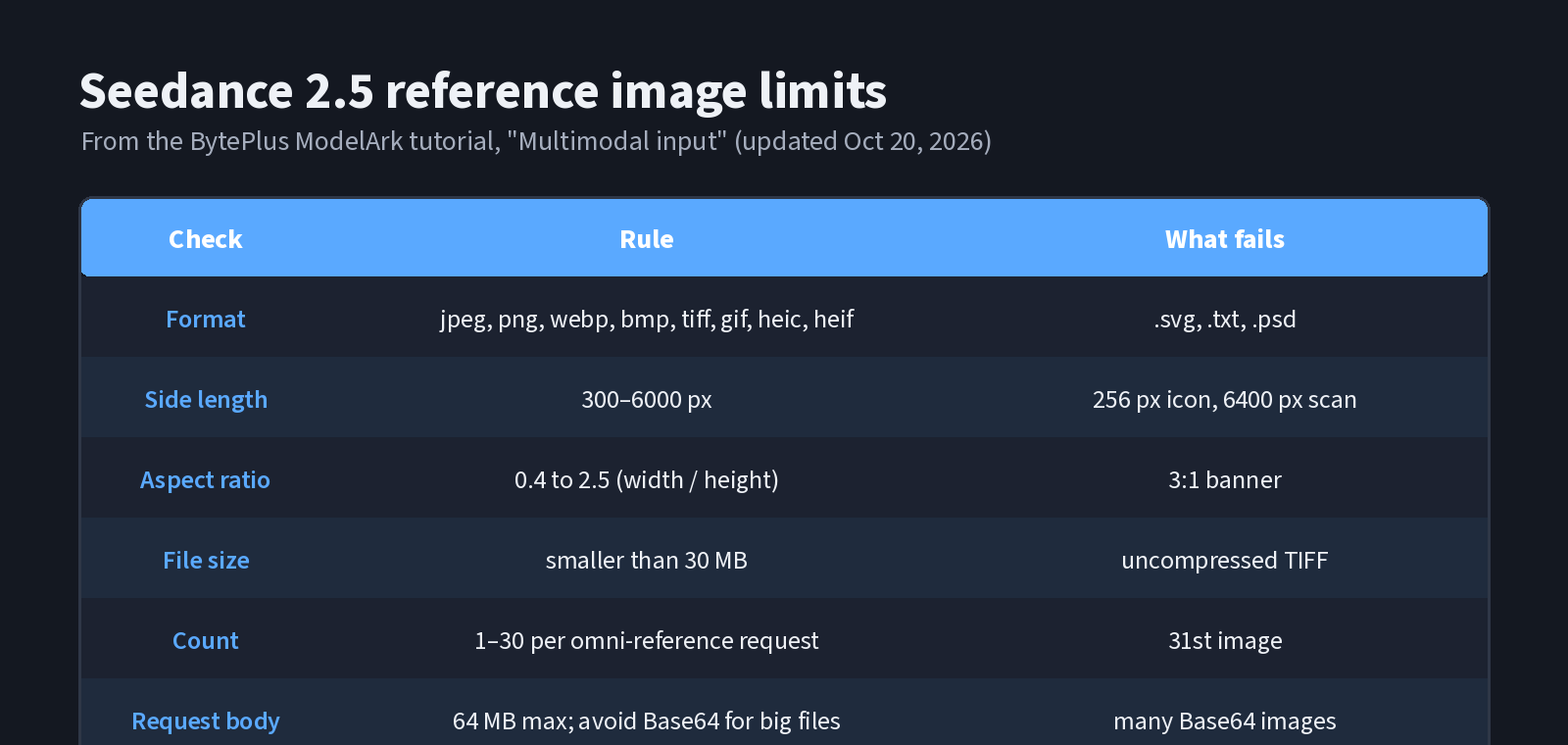
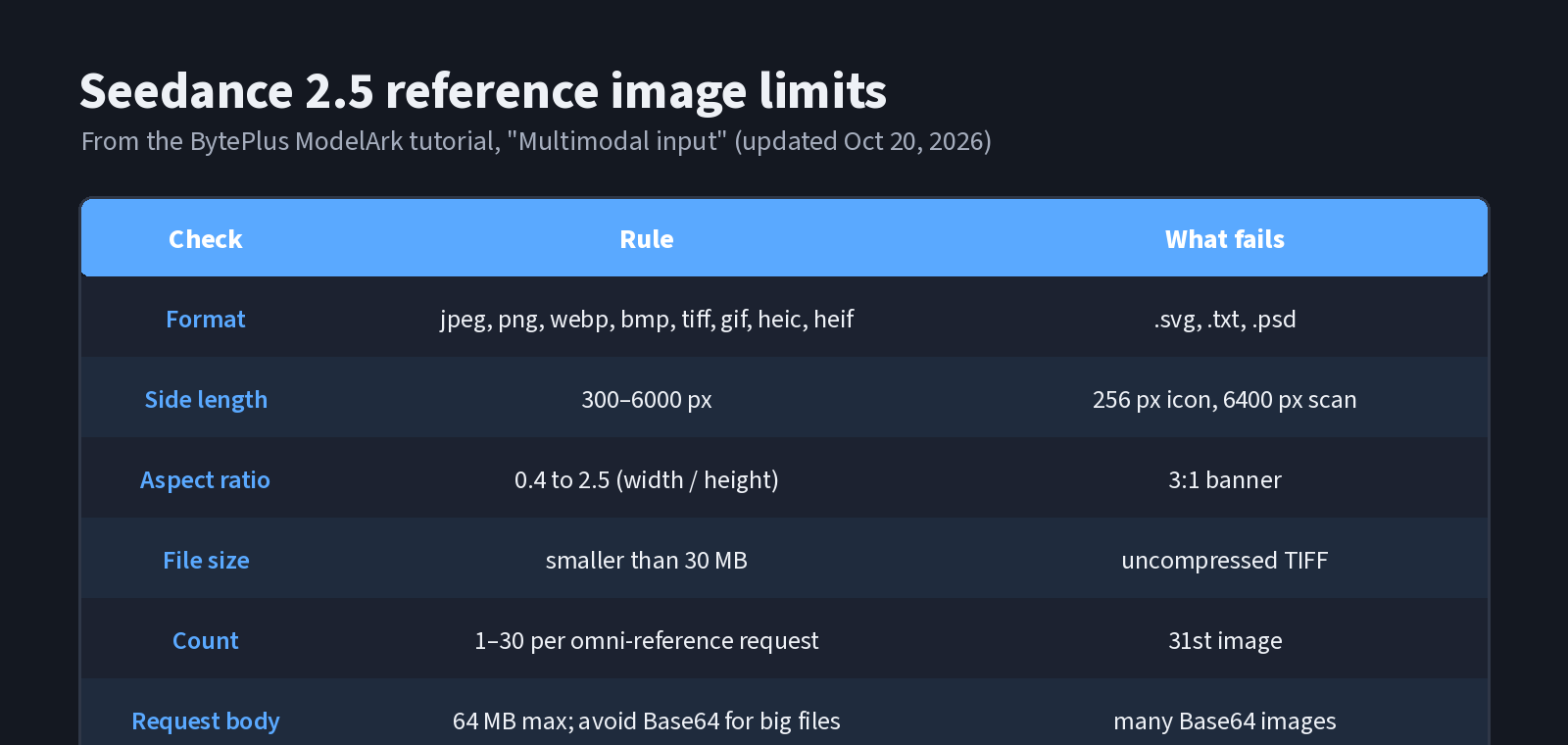 The image rules as a table. Made for this article from the ModelArk tutorial.
- Formats: jpeg, png, webp, bmp, tiff, gif, heic, heif.
- Side length: width and height each between 300 and 6000 px.
- Aspect ratio: width divided by height between 0.4 and 2.5.
- Size: a single image must be smaller than 30 MB, and the whole request body must not exceed 64 MB. The docs advise against Base64 strings for large files.
- Count: 1 for a first frame, 2 for first and last frames, 1–30 for omni-reference.
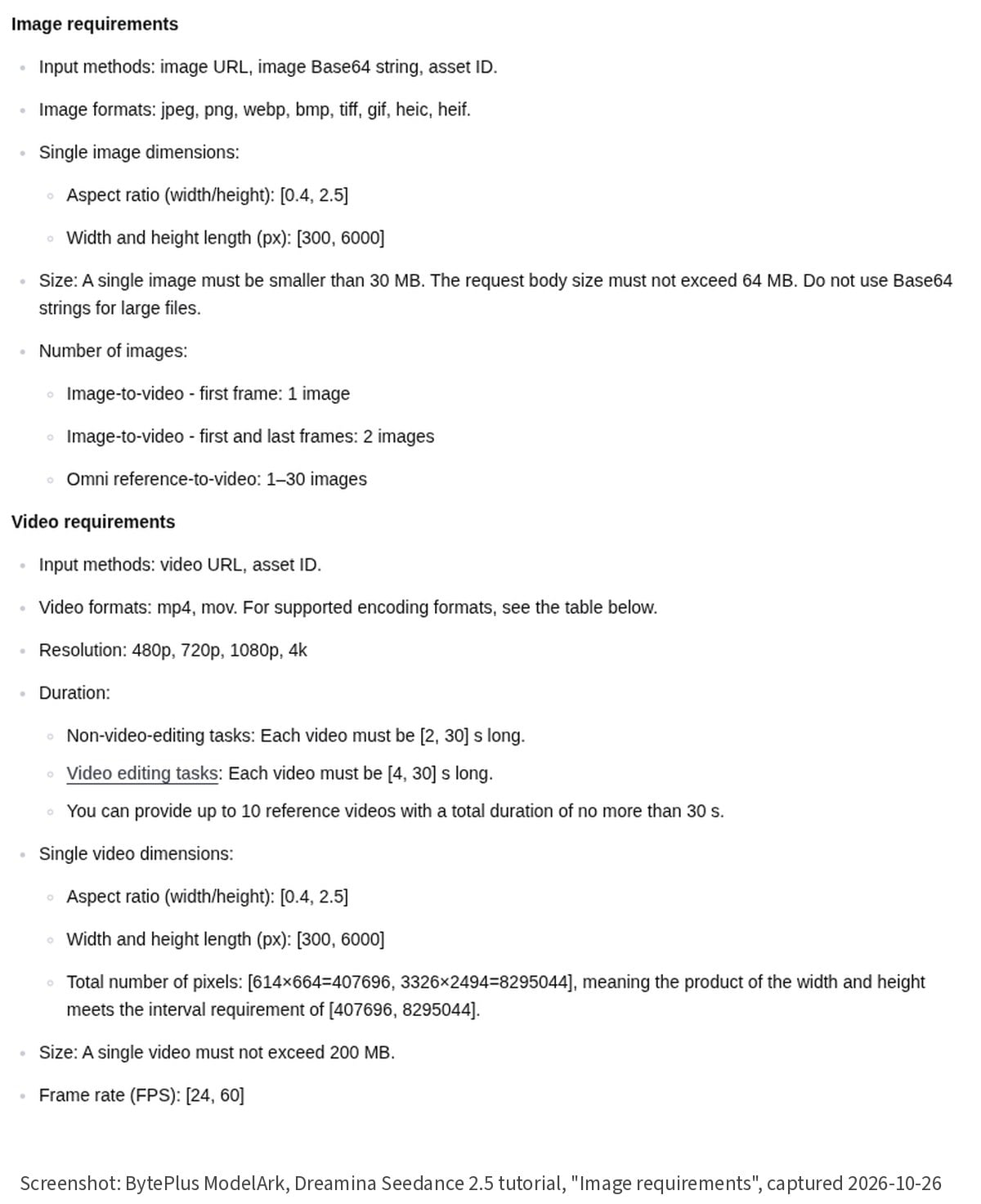 The "Image requirements" list in the ModelArk Seedance 2.5 tutorial. Screenshot captured October 26, 2026.
Video and audio references have their own limits (up to 10 clips of each, 30 seconds in total per type), which this script doesn't cover.
The script
The only clever part is reading dimensions without an image library. A PNG stores width and height as two big-endian 32-bit integers at bytes 16 and 20. A JPEG needs a short walk through its segments until a start-of-frame marker (0xC0–0xCF, excluding 0xC4, 0xC8 and 0xCC), which holds height and then width as 16-bit integers. Other formats are reported as "could not read dimensions" so you can check them another way.
// Pre-flight checks for Seedance 2.5 reference images, based on the
// BytePlus ModelArk "Dreamina Seedance 2.5 tutorial" (updated 2026-10-20).
import { readFileSync, statSync } from "node:fs";
import { extname } from "node:path";

const LIMITS = {
  formats: [".jpeg", ".jpg", ".png", ".webp", ".bmp", ".tiff", ".gif", ".heic", ".heif"],
  minSide: 300,
  maxSide: 6000,
  minRatio: 0.4,
  maxRatio: 2.5,
  maxBytes: 30 * 1024 * 1024, // "smaller than 30 MB"
  maxImages: 30,
};

type Size = { width: number; height: number };

// Read width/height from PNG or JPEG headers without any dependency.
function readSize(buf: Buffer): Size | null {
  if (buf.length < 24) return null; // too short to be an image
  if (buf.readUInt32BE(0) === 0x89504e47) {
    return { width: buf.readUInt32BE(16), height: buf.readUInt32BE(20) };
  }
  if (buf[0] === 0xff && buf[1] === 0xd8) {
    let i = 2;
    while (i + 9 <= buf.length) {
      if (buf[i] !== 0xff) return null;
      const marker = buf[i + 1];
      const len = buf.readUInt16BE(i + 2);
      if (marker >= 0xc0 && marker <= 0xcf && ![0xc4, 0xc8, 0xcc].includes(marker)) {
        return { height: buf.readUInt16BE(i + 5), width: buf.readUInt16BE(i + 7) };
      }
      i += 2 + len;
    }
  }
  return null; // other formats: check dimensions with another tool
}

function check(path: string): string[] {
  const problems: string[] = [];
  const ext = extname(path).toLowerCase();
  if (!LIMITS.formats.includes(ext)) problems.push(`format ${ext} not in the list`);
  let bytes: number;
  try { bytes = statSync(path).size; } catch { return ["file not found"]; }
  if (bytes >= LIMITS.maxBytes) problems.push(`${(bytes / 1048576).toFixed(1)} MB, must be < 30 MB`);
  const size = readSize(readFileSync(path));
  if (!size) { problems.push("could not read dimensions"); return problems; }
  const { width: w, height: h } = size;
  if (Math.min(w, h) < LIMITS.minSide) problems.push(`${w}x${h}: a side is under ${LIMITS.minSide}px`);
  if (Math.max(w, h) > LIMITS.maxSide) problems.push(`${w}x${h}: a side is over ${LIMITS.maxSide}px`);
  const r = w / h;
  if (r < LIMITS.minRatio || r > LIMITS.maxRatio) problems.push(`ratio ${r.toFixed(2)} outside 0.4–2.5`);
  return problems;
}

const files = process.argv.slice(2);
if (files.length > LIMITS.maxImages) console.log(`! ${files.length} images: the limit is ${LIMITS.maxImages} per request`);
let failed = 0;
for (const f of files) {
  const p = check(f);
  if (p.length) failed++;
  console.log(`${p.length ? "FAIL" : "ok  "}  ${f}${p.length ? "  -> " + p.join("; ") : ""}`);
}
console.log(`\n${files.length - failed}/${files.length} images pass`);
process.exit(failed ? 1 : 0);
Compile and run it:
npm i -D typescript @types/node
npx tsc
node dist/validate-refs.js refs/*
A run on test files
To see every branch fire, I made six solid-colour test images with Pillow, each sized to hit one rule, plus an empty text file: a 1600×1600 PNG, a 2048×1365 JPEG, a 1200×2400 PNG, a 256×256 PNG, a 3000×1000 JPEG and a 6400×3200 PNG. These are synthetic files, not real assets, and nothing was sent to any API. This is the actual output:
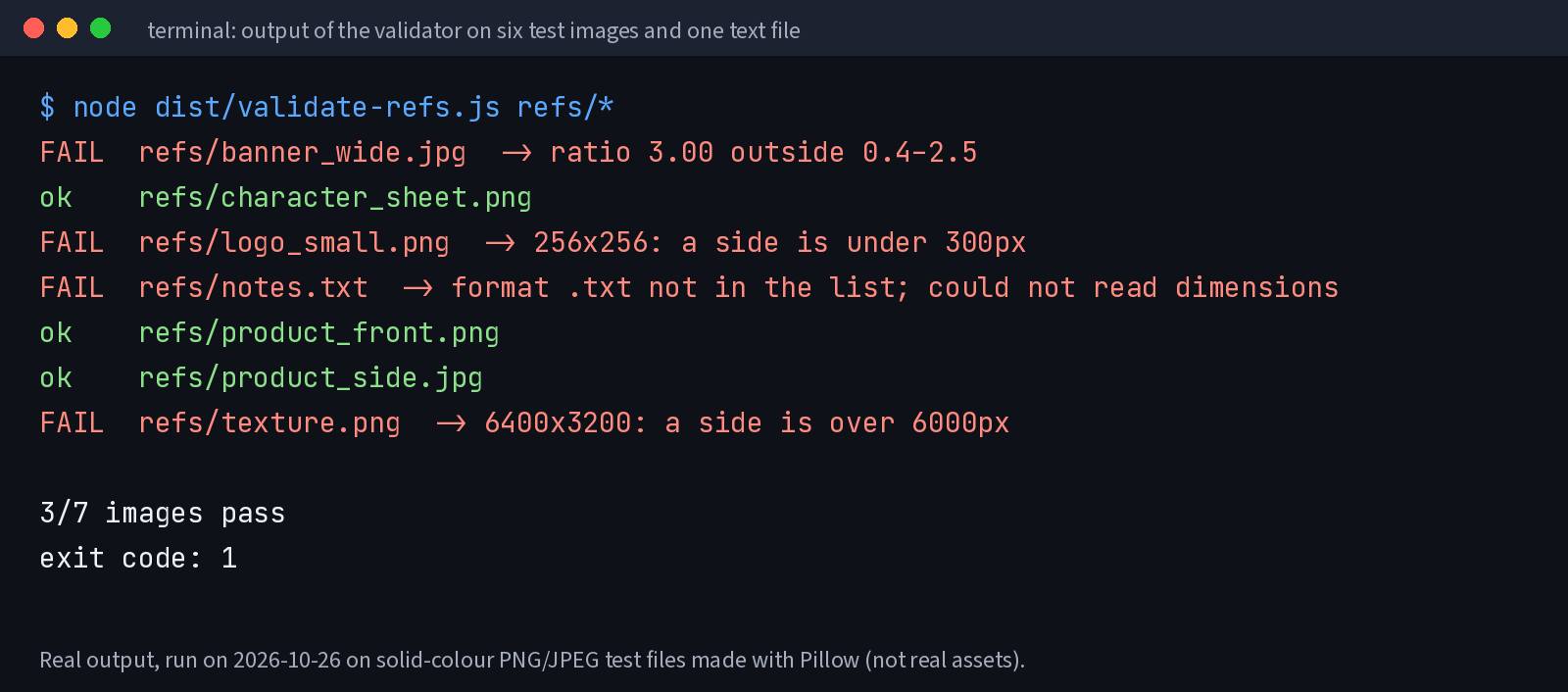 Real output from the script on the test files, October 26, 2026.
The first version of the script crashed on the text file, because it tried to read 24 bytes from an empty buffer, and on a path that didn't exist. Two guards fixed that: a length check before reading the header, and a try/catch around statSync. A pre-flight script that throws on bad input defeats its own purpose, so it's worth feeding it junk on purpose.
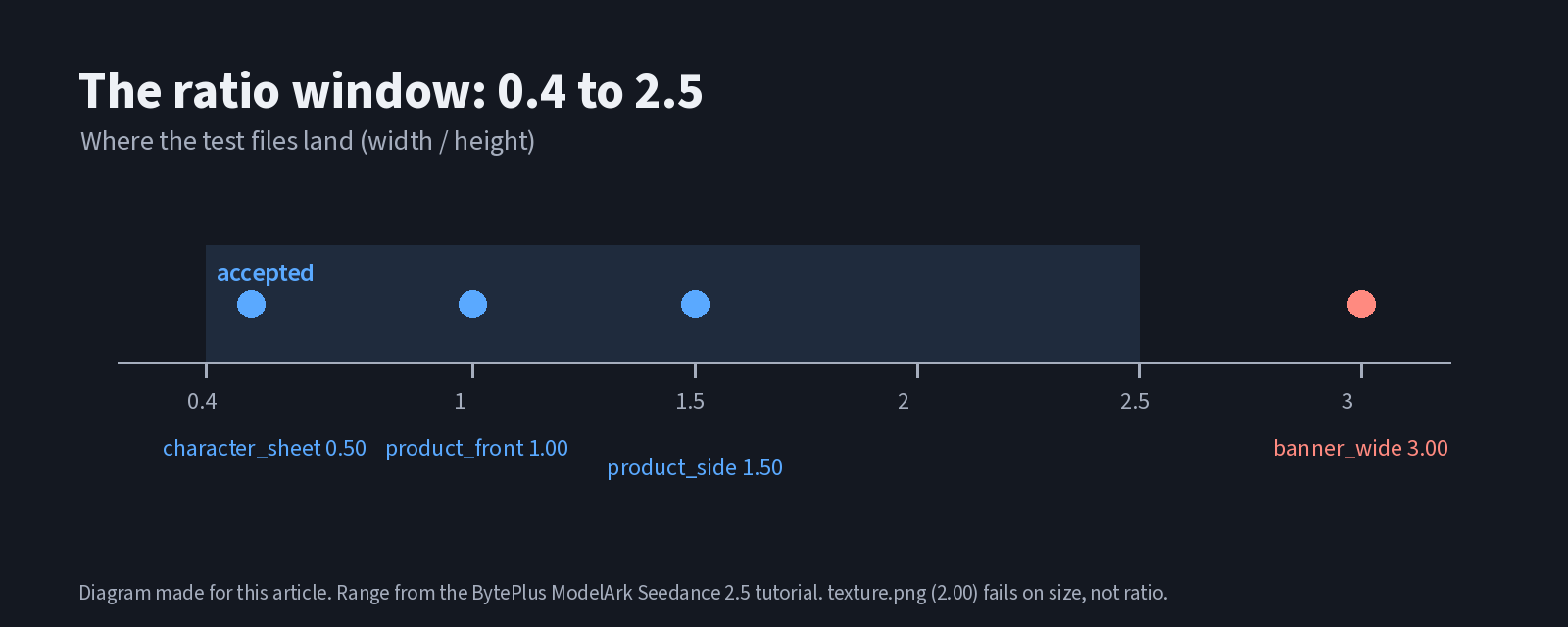 Where the test files fall on the ratio window. Diagram made for this article.
Note that texture.png is 2:1, well inside the ratio window, and still fails because its long side is 6,400 px. Ratio and side length are separate checks; a file can pass one and fail the other.
Fixing what fails
Each failure has a different fix:
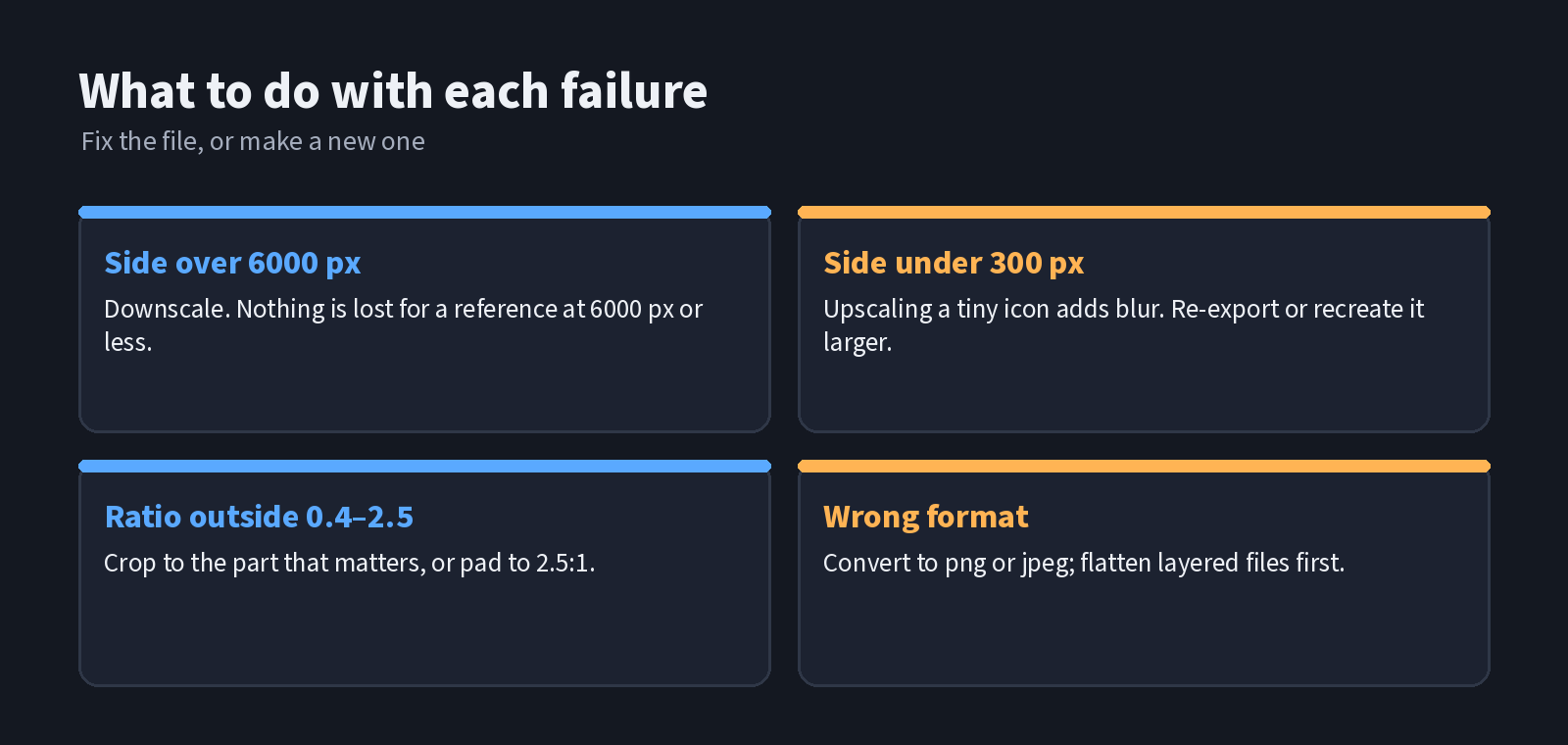 What to do with each kind of failure. Made for this article.
- Over 6000 px: downscale. A reference at 6,000 px or less still carries plenty of detail.
- Wrong ratio: crop to the part the model actually needs. A 3:1 banner usually has one subject in the middle; cropping to 16:9 or 2:1 keeps it. Padding to 2.5:1 also works, but the padding becomes part of the reference.
- Wrong format: convert to PNG or JPEG, and flatten layered files first.
- Under 300 px: upscaling a 256-px icon mostly adds blur. Re-export it from the source file if you have one. If you don't, or if you need a cleaner still of a product or a character at a valid size, an image model is often quicker. Browser workspaces that host image models list sizes and aspect ratios up front; the independent workspace seedance2-5.co, for example, describes its Seedream 5.0 Flash page as a fast image model option with 1K and 2K sizes and up to 10 reference images for edits. Run the new still through the same check before you use it.
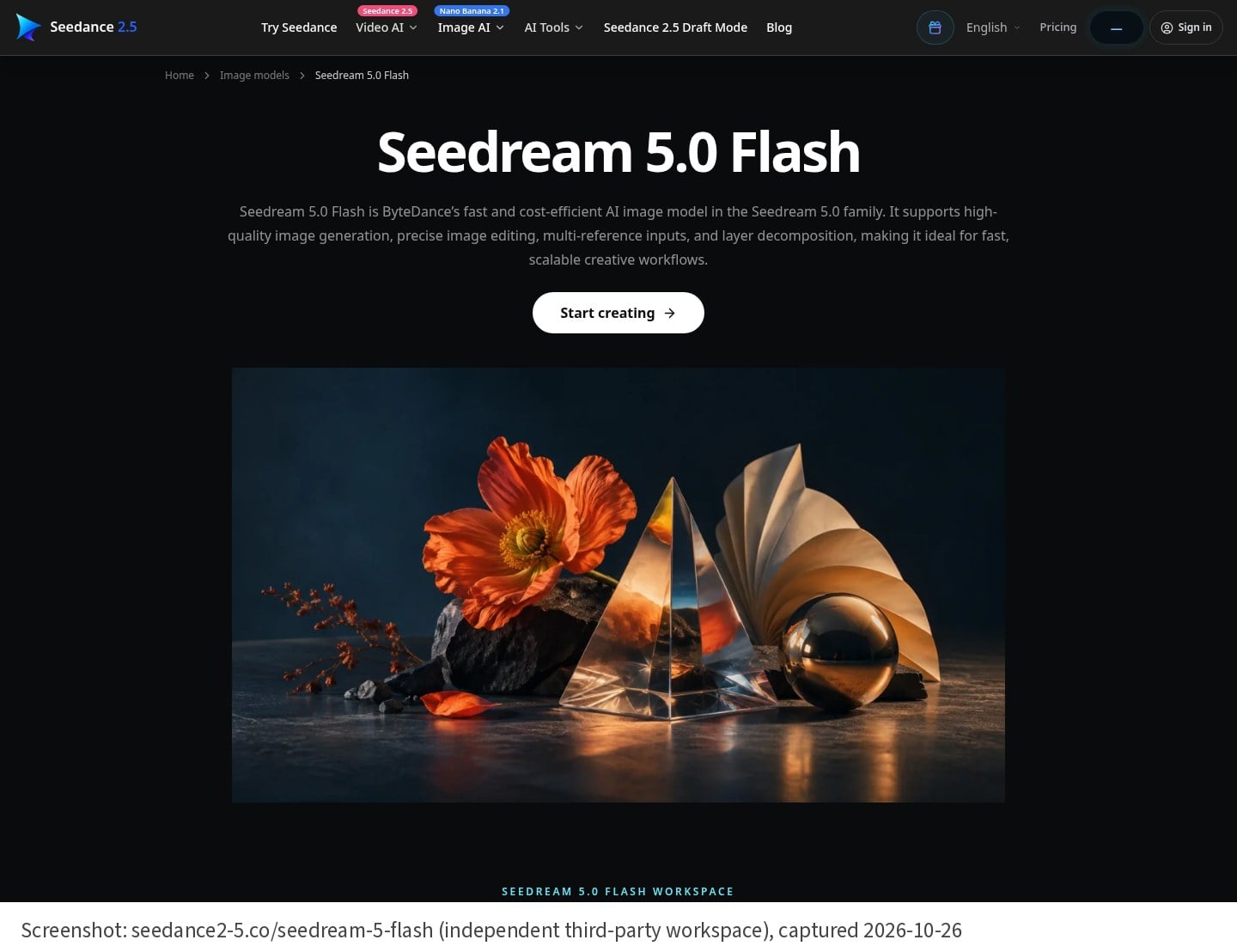 The Seedream 5.0 Flash page on seedance2-5.co, an independent third-party workspace, not ByteDance's site. Captured October 26, 2026.
Remember the content rule as well: the ModelArk tutorial says reference images and videos that contain real human faces can't be uploaded directly. No header check can see that, so it stays a human step in the checklist.
Where to put it
- In a script that assembles the request: refuse to build the payload if any file fails.
- In CI for a repo of reusable reference packs, so a new file can't be merged at the wrong size.
- As a pre-commit hook on an asset folder.
The limits live in one LIMITS object, so when BytePlus updates the tutorial, there is one place to change.
Sources: BytePlus ModelArk, "Dreamina Seedance 2.5 tutorial" (updated October 20, 2026), sections "Multimodal input" and "Image requirements"; ByteDance Seed, Seedance 2.5 release post (July 31, 2026).
About the author
- Kling4 AI video workflows, model tests, and visual production notes. Explore https://kling4ai.io/.
Comments
Join the discussionNo comments yet. Be the first to comment.